











Settings for Norway
Altinn (Norway Tax Administration public reporting portal)
In this window you can save or change Computer System ID and Computer System Password used for authentication to Altinn. These settings can be used for sending reports like VAT before 2022, E-tax card request, a-message, etc.
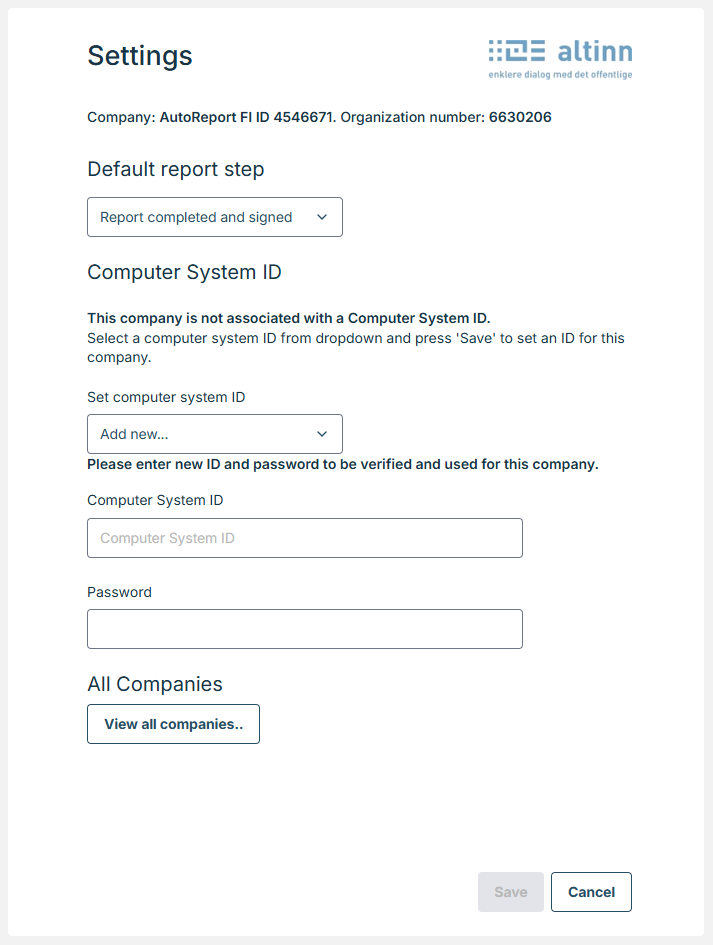
Starting from year 2022, VAT reports will be send using ID-porten authentication, instead of settings and credentials above. These will be still used for VAT reports for 2021 and before.
View all companies for Altinn settings
In ‘View all companies’ can be found actions to save credentials to companies the user has access to or delete credentials from companies the user has access to.
Altinn 3 - new version
System access
Here you can manage the connection between AutoReport and Altinn 3. A system access needs to be created to send reports to Altinn 3. When the system access is created no personal login is required when sending reports.
NB: The new system access does not support the VAT report, so when sending the VAT report IDPorten is still used and personal login is required.
Own system access
To send reports on behalf of the logged-in company a system access needs to be created.
- Press “Create new system access in Altinn”
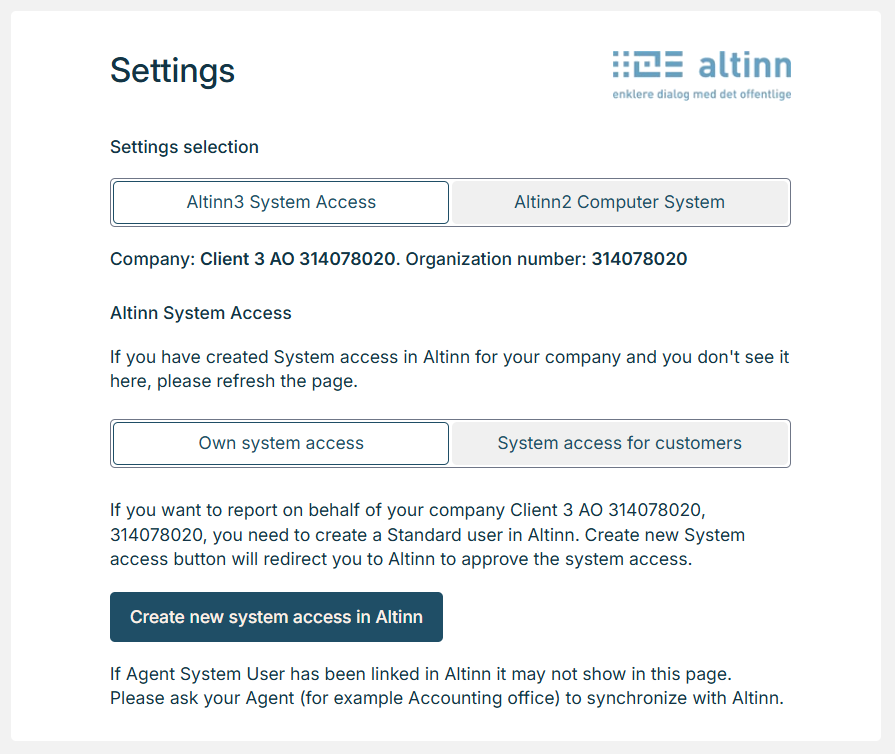
You will be redirected to Altinn.
- Login to Altinn and grant access to AutoReport to allow AutoReport to report on behalf of your company.
Be aware: To login and approve the access you need to have the Altinn role “Access Management” (Tilgangsstyring).
The General Manager (Daglig leder) and the Chairman of the Board (Styreleder) have this role implicitly, but it can be delegated in Altinn to other individuals in the enterprise, who can then also approve the system access.
- Press “Authorize system access” and sign.
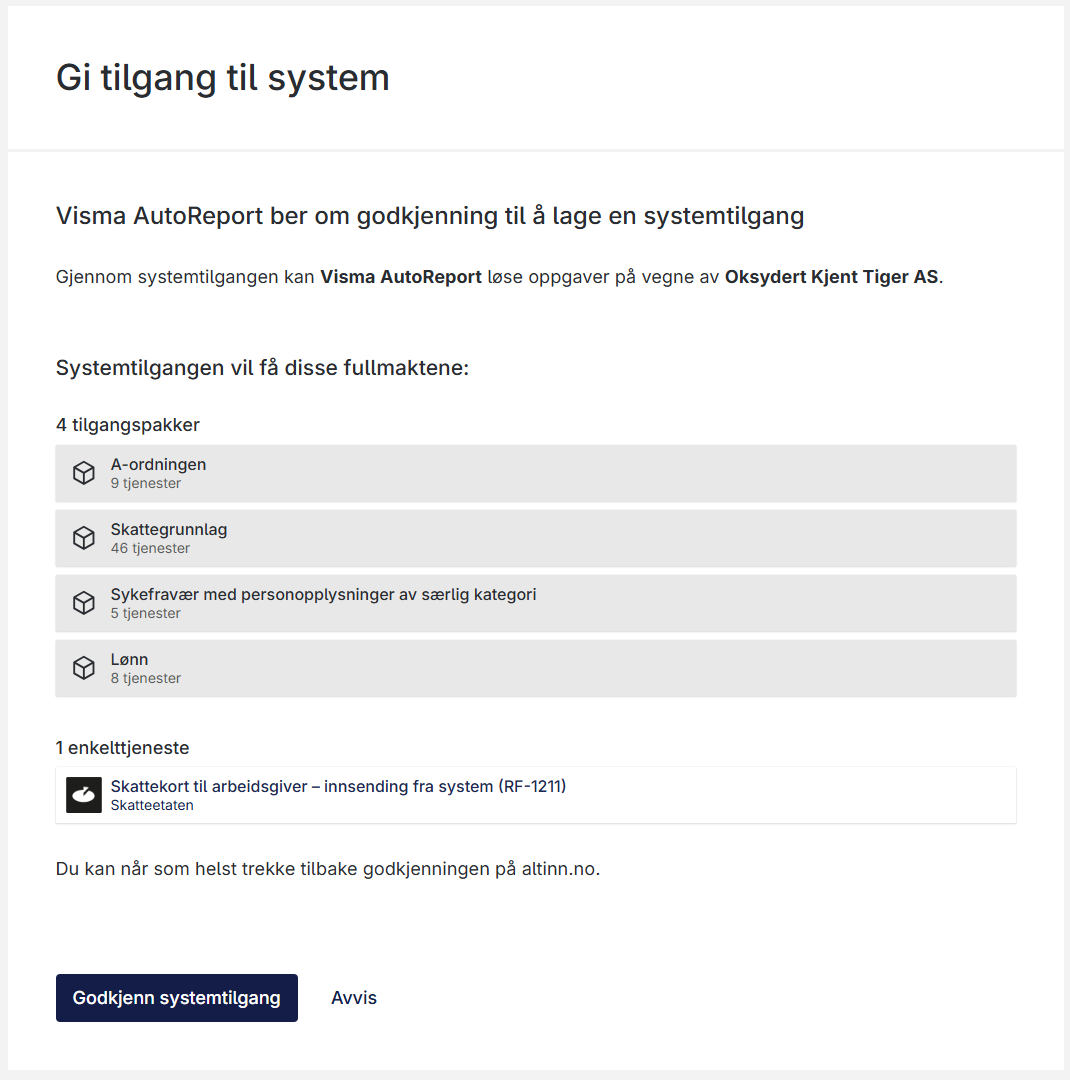
When the authorization is done you will be redirected back to AutoReport and the system access is created.
You can now send reports to Altinn 3.
Another company is reporting on your behalf
With system access for customers (see below) it’s possible to report on behalf of other companies. If ex. an accounting office is reporting on behalf of the logged-in company this can be seen in the settings for the logged-in company:
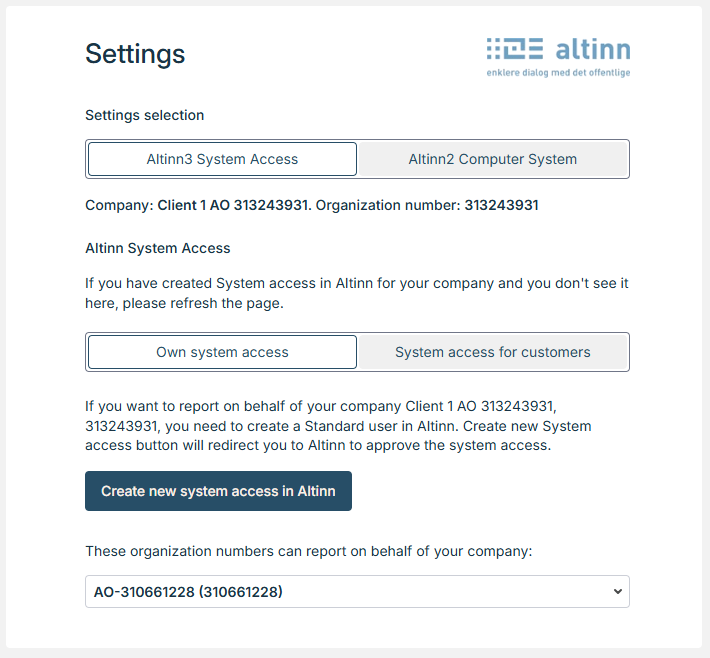
NB: Be aware that this is only shown if the reporting company is also using a Visma system.
System access for customers - not yet supported
To send reports on behalf of other companies than the logged-in company a system access for customers needs to be created.
- Press “Create new system access for customers”
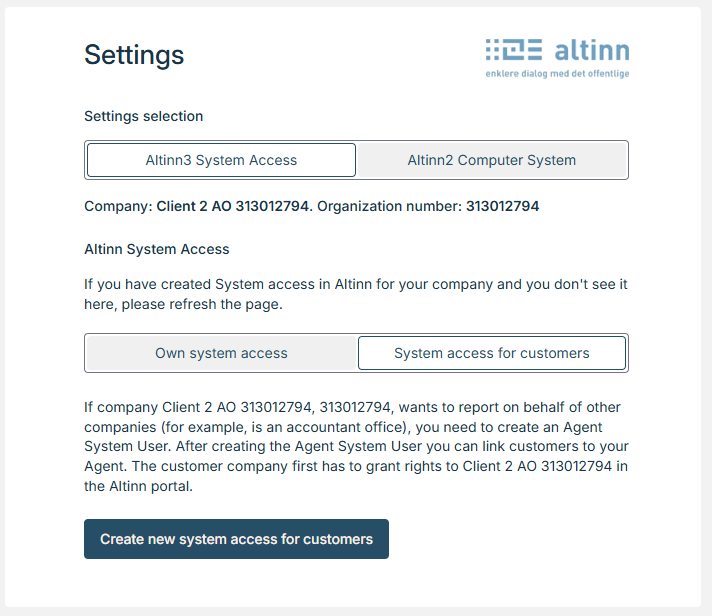
You will be redirected to Altinn.
- Login and grant access to AutoReport to allow AutoReport to report on behalf of your company and delegated customers.
Be aware: To login and approve the access you need to have the Altinn role “Access Management” (Tilgangsstyring).
The General Manager (Daglig leder) and the Chairman of the Board (Styreleder) have this role implicitly, but it can be delegated to other individuals in the enterprise, who can then also approve the system access.
- Press “Authorize system access” and sign.
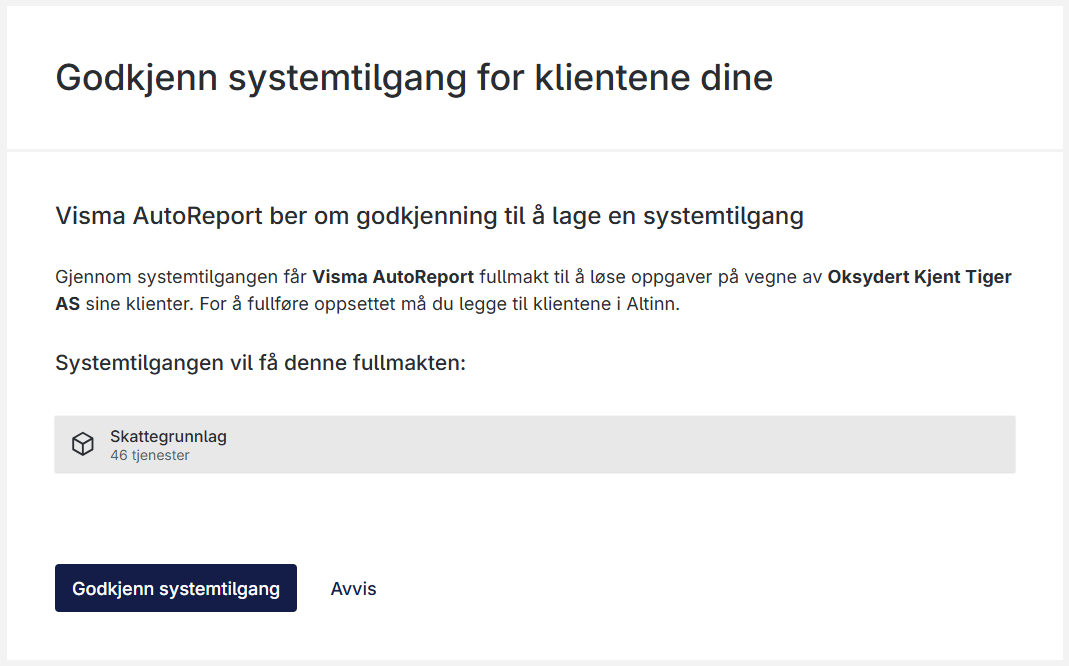
When the authorization is done you will be redirected back to AutoReport and the system access for customers is created.
Customer delegation:
To report on behalf of a customer the customer needs to be added to the system access for customers.
Automated customer delegation
- Some customers can be added without any changes in Altinn. This is because of the roles registered in the Central Coordinating Register for Legal Entities (Enhetsregisteret).
To add a customer to system access for customers:
- Press “Synchronize with Altinn” and sign in.
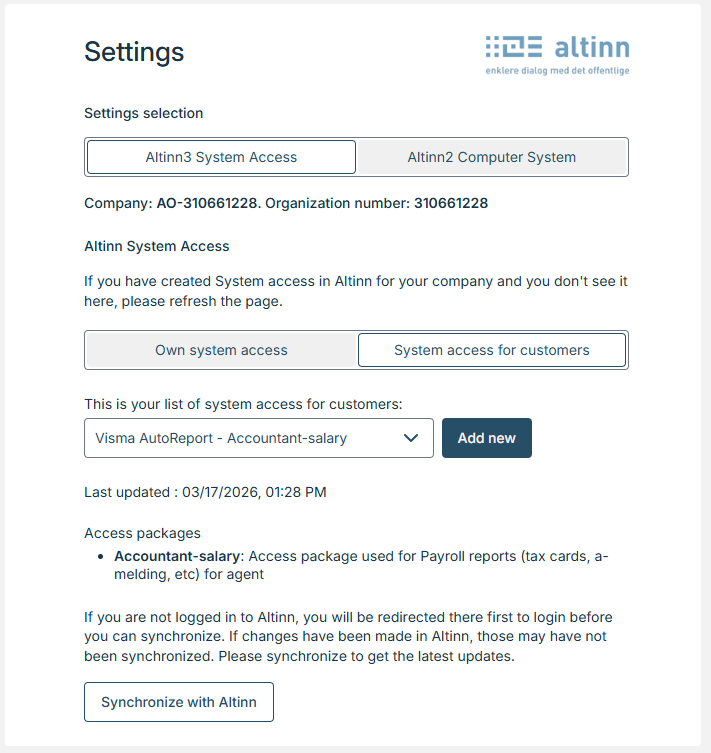
A list is shown with customers you have access to report for.
Select “Add to system access” to report for the customer
Select “Remove from system access” to remove the possibility to report for the customer
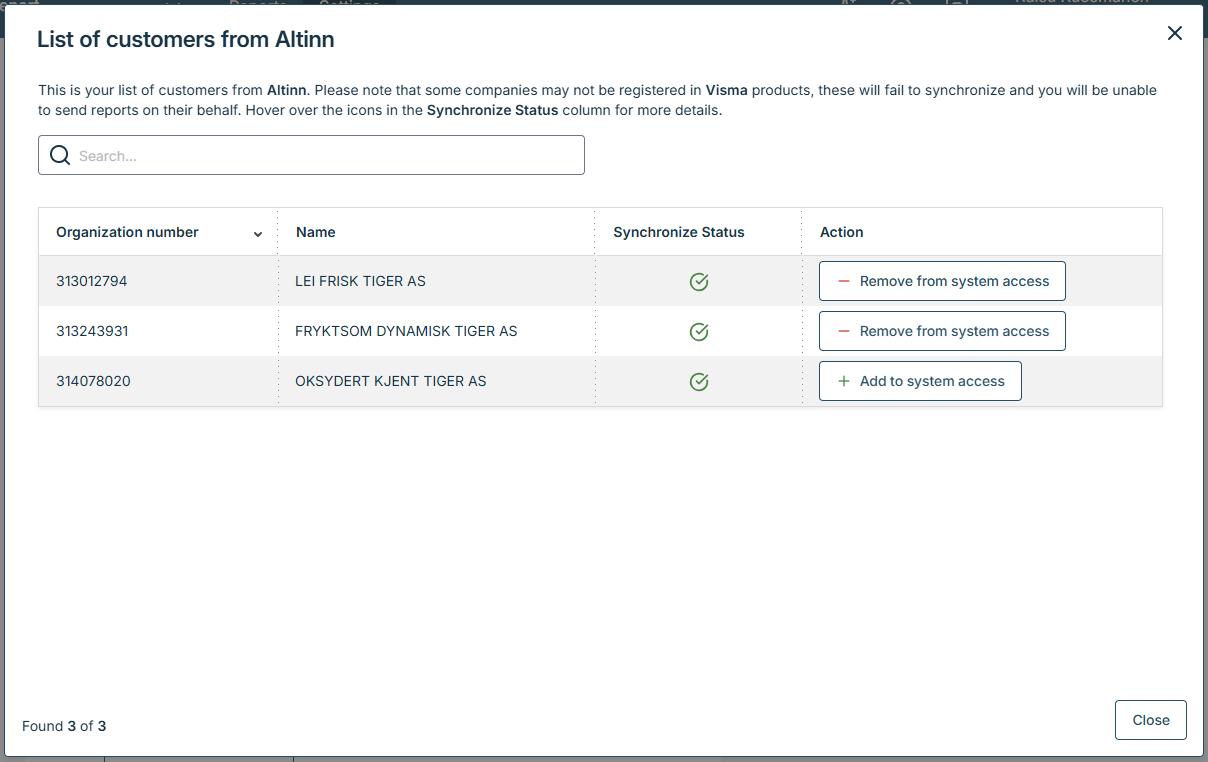
The customer is not shown at the list
If the customer is not showing up at the list the client relationship is maybe not set up in Altinn.
How to do the setup in Altinn is described in Altinn’s documentation.