










Settings for Norway
Altinn 3 - System access
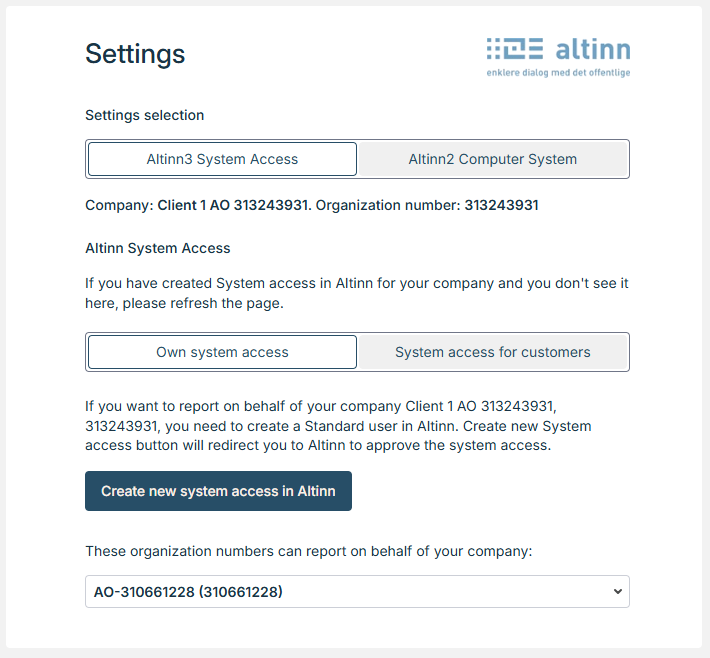
Here you can manage the connection between AutoReport and Altinn 3. A system access needs to be created to send reports to Altinn 3. When the system access is created no personal login is required when sending reports.
NB: The new system access does not support the VAT report, so when sending the VAT report IDPorten is still used and personal login is required.
An accounting firm report on my behalf
When an accounting firm setup a system access for customers in AutoReport and select to report on behalf of the logged in company this will be visible in the settings page.
Delete link to accounting firm
If the accounting firm should no longer report on your behalf, you can remove the link to them.
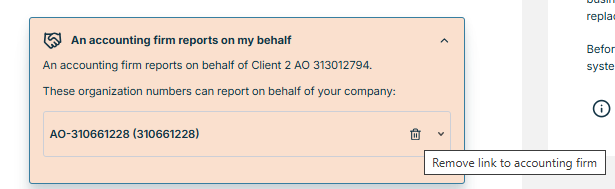
- Click Remove link to accounting firm.
Be aware that this does not remove access in Altinn, but only the link between the company and the accounting firm in AutoReport. The accounting firm will also need to remove the access in Altinn. If the access is not removed in Altinn, the connection in AutoReport will automatically be restored the next time the accounting firm synchronizes with Altinn.
If no accounting firm is reporting for the logged in company a system access can be created and the logged in company can report directly to Altinn themself.
I report directly to Altinn myself
To send reports on behalf of the logged-in company a system access needs to be created.
- Select “I report directly to Altinn myself”

- Press “Create new system access in Altinn”
You will be redirected to Altinn.
- Login to Altinn and approve system access to allow AutoReport to report on behalf of your company.
Be aware: To login and approve the access you need to have the Altinn role “Access Management” (Tilgangsstyring).
The General Manager (Daglig leder) and the Chairman of the Board (Styreleder) have this role implicitly, but it can be delegated in Altinn to other individuals in the enterprise, who can then also approve the system access.
In addition to the role “Access Management” you also need to have rights to the access packages included for the system access. For a standard system access this means that you need rights to the access packages A-message, Salary with personal data of special category, Tax base and Business tax.
- Press “Approve system access”.

When the authorization is done you will be redirected back to AutoReport and the system access is created.
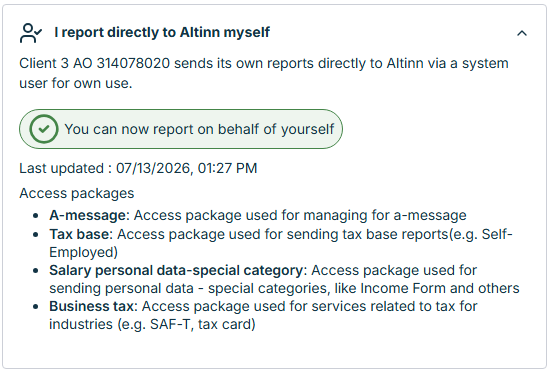
You can now send reports to Altinn 3 for your company.
How to update access packages for a system access
A system access includes multiple access packages when it’s created. In some cases it can be necessary for AutoReport to add or remove access packages to a standard system access.
When AutoReport makes changes to the set of access packages you will get the possibility to update your already created system access to get the new set of access packages.
- Go to AutoReport and Settings
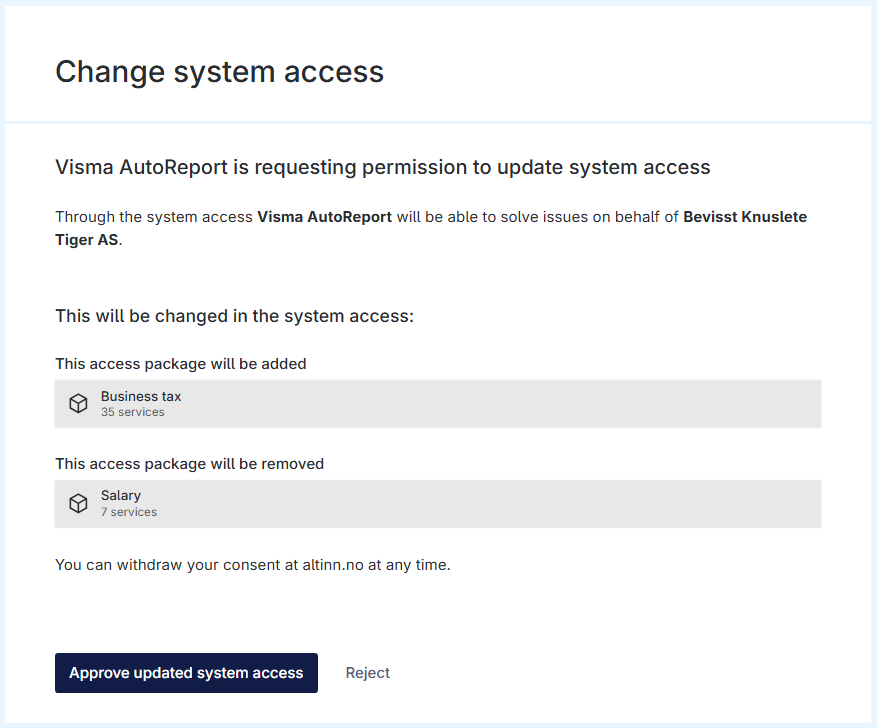
In the section “I report directly to Altinn myself” you will have the possibility to update access packages:
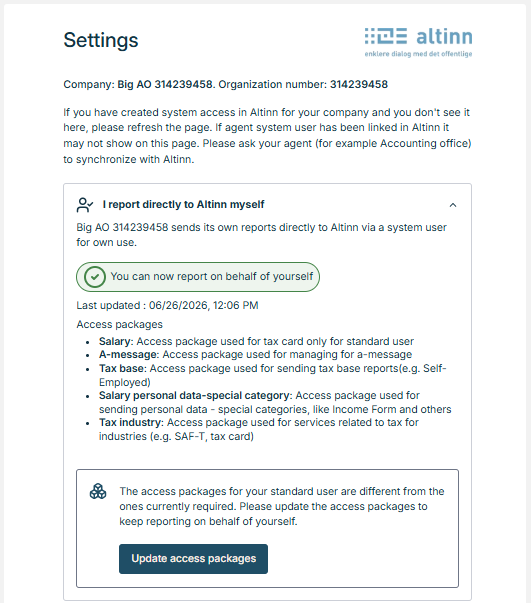
- Press “Update access package”
You will be redirected to Altinn.
- Login to Altinn and “Approve updated system access”.
I am an accounting firm
To report on behalf of someone else than the logged-in company, you need a system access for customers.
- Select “I am an accounting firm”

Press “Create new system access for customers”
Select the access package needed for the report/reports that you would like to send.
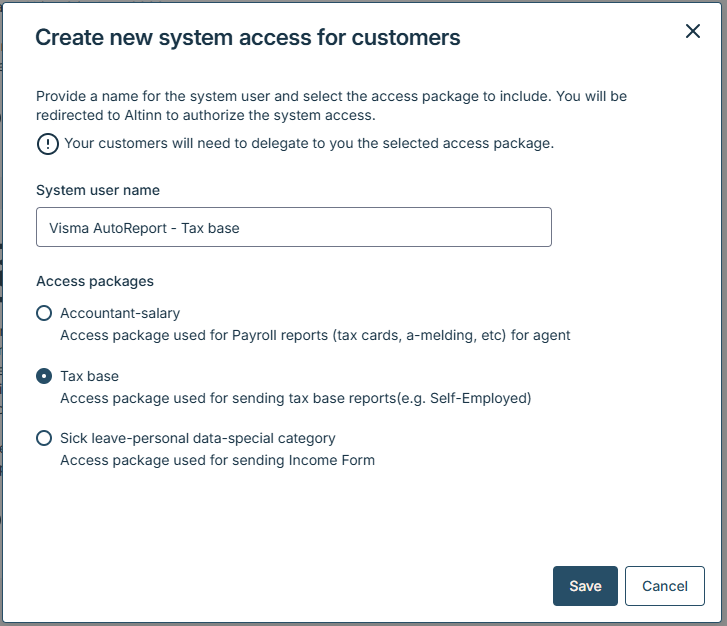
Be aware that only one access package can be selected.
If you need to send different reports that demand different access packages, multiple system accesses for customers needs to be created. More details can be found in the section “How to create multiple system accesses for customers with different access packages”.
- Press Save
You will be redirected to Altinn.
- Login and approve system access to allow AutoReport to report on behalf of your delegated clients/customers.
Be aware: To login and approve the access you need to have the Altinn role “Access Management” (Tilgangsstyring).
The General Manager (Daglig leder) and the Chairman of the Board (Styreleder) have this role implicitly, but it can be delegated to other individuals in the enterprise, who can then also approve the system access.
In addition to the role “Access Management” you also need to have rights to the access package included for the system user. For System access for customers this can be Accountant salary, Tax base or Salary with personal data of special category.
- Press “Approve system access” and sign.

When the authorization is done you will be redirected back to AutoReport and the system access for customers is created.

How to create multiple system accesses for customers with different access packages
Press “Add new”
Select the access package needed for the reports that you would like to send.
Press Save
You will be redirected to Altinn.
Login and approve system access to allow AutoReport to report on behalf of your delegated clients/customers.
Press “Approve system access” and sign.
To be able to report on behalf of a customer the customer needs to be added at the system access.
How to add customer to a system access
- Select the system access where the customer should be added in the drop-down.

- Press “Synchronize with Altinn”
You will be redirected to Altinn.
- Login and accept the terms.
A list of customers will be displayed. This list contains all clients that have delegated the access packages at the system access selected in the drop down above - in this case the access package “Tax base”:
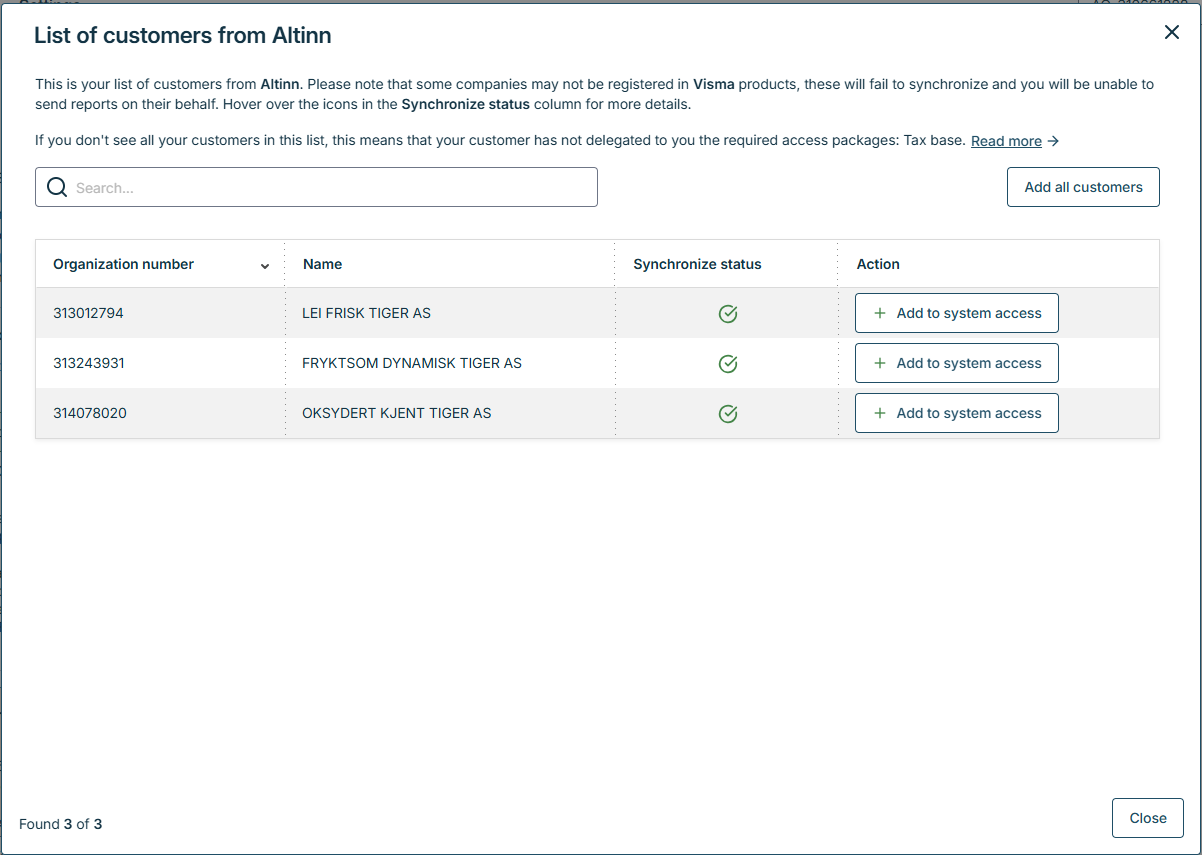
- Press “Add all customers” to add all your customers to the system access, or press “Add to system access” to add customers one by one.
From the list it’s also possible to remove customers from the system access. To do this press “Remove from system access”

If a customer does not show in the list the customer needs to delegate the access packages in Altinn - in this case the access package tax base.
How to delegate access packages in Altinn to an organization or a person
Login to Altinn and select the company.
Go to “Menu” and “Access Management”
Select “Power of attorney”
Search for the access package in the tab for access packages:

- Select the Access package needed and press New user

For an organization
- Select the tab “Organization” and search for the organisation number for the company that should report on your behalf

- Press “Add organization”
For a person
- Select the tab “Person” and enter the Social Security number and the Lastname for the person you would like to delegate the access package to
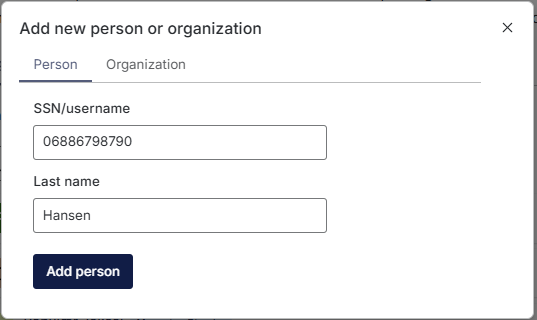
- Press “Add person”
For more detailed questions regarding delegation of access packages please see more information in Altinn’s documentation (opens in a new tab) or contact Altinn directly.