Assignments
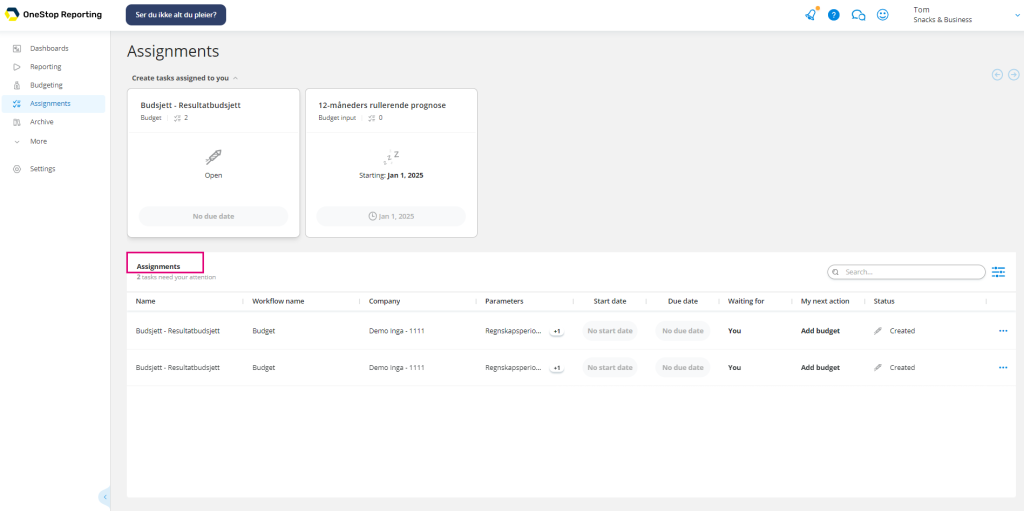
Assignments contain your budget forms for you to work on.
Assignments can be assigned to you from the or directly . An assignment can contain multiple budgets to work on.
There are two sections in Assignments:
1 Generate assignment cards:
If the assignment allows you to select parameters for the budget, you can generate assignmentsfrom the assignment cards on top. You can generate as many budget assignments as you need.
If the user assigning the budget to you has set all parameters for the budget, you will not see the Generate assignment cards.
Therefore, you will only see the Generate assignment cards if the assignment is created with the Let user decide option.
2 Assignment list: Here you find your assignments to work on.
This step is only applicable if the assignment allows you to select the budget parameters.
For assignments with Let the user decide parameters, you can generate as many budget assignments as you need.
If the assignment has a start date in the future, you will see the start date on the Create assignment card. You must wait until the start date before you can generate an assignment.
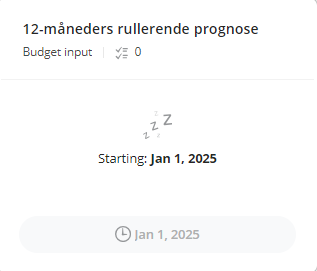
To open the assignment and work on the budget:
- On the Create assignment card you want to work on, click Open.
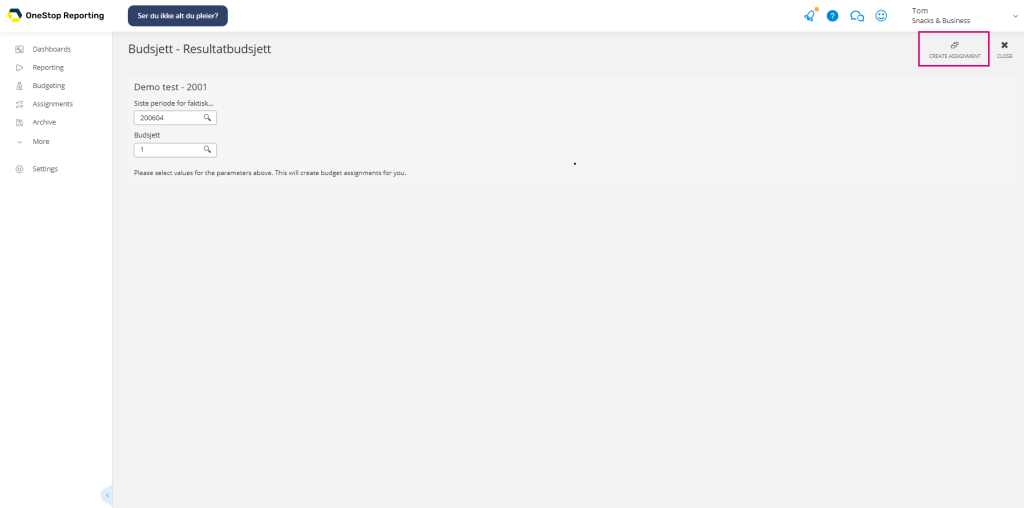
- Select the relevant parameters. If the parameter fields are grayed out, the person who created the assignment has already defined these parameters. They cannot be changed.
- In the top right corner, click
 Create assignments. The assignment is now added to the Assignments list and you can work with your assignment.
NOTE: Under assignments, you can view assignments and parameters for previously created assignments.