










Edit budget template in published workflows
If the budget template you want to edit is part of a workflow, you will receive a message sayiomg that If you proceed and choose to edit this budget template, these assignments or workflows will be updated. Please be aware that any changes you make may affect the budgeting process.
Make sure you do not change any report parameters, as this will prevent you from publishing your changes."***
To edit the budget template, click Edit anyway.
- You can edit most aspects of the budget templates, apart from report parameters. If you attempt to edit the report parameters, you will not be able to publish and must undo the edit.
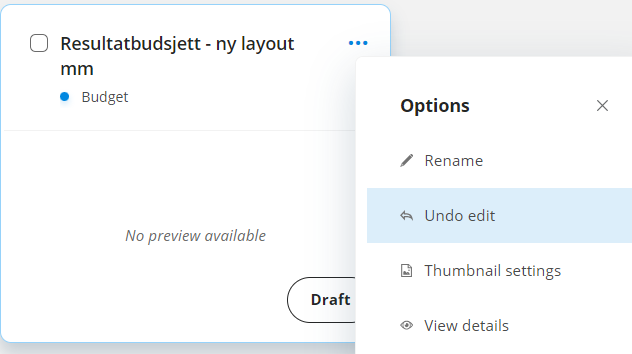
To undo the edit;
- In Budgeting, click
 in the top right corner to show details of the budget template.
 - Click
 Undo edit.
After you have edited a budget template that is part of a workflow, the assignees must rerun any templates they have run before.
If they have the budget template open, they will receive a message from the system that the template is updated. If they run the template, they will lose any changes they have made since they last saved.