










User interface
Definitions of the most frequently used icons and navigation buttons within OSR.
Familiarize yourself with the primary icons and buttons used throughout the interface. This overview clarifies their specific functions, allowing for a more intuitive and seamless experience while navigating the system.
| Menu | |
|---|---|
 | Use the menu button to open the side menu |
| Side menu | |
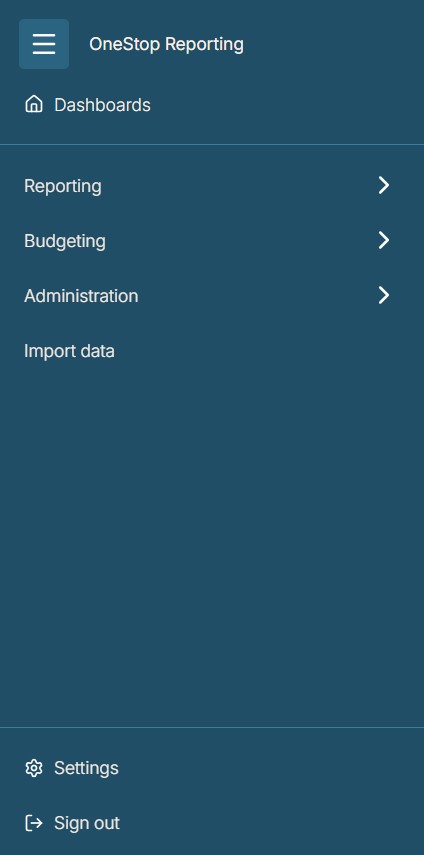 | In the side menu, you can access modules and features based on your permissions. In submenus, select Go back to return to the previous level |
| Help | |
 | Click the help button to open our support center, where you can find user guides, courses, knowledge articles, and documentation, as well as the option to submit requests and view release notes |
| Feedback | |
 | Feel free to send us feedback on your experience with the product. We appreciate all feedback |
| GAiA | |
 | The GAiA button is your shortcut to assistance. A single click opens the conversation with GAiA, where you can ask questions, get help with tasks, or explore new ideas in real-time. |
| Notification bell | |
 | Click the notification bell to view your notifications. You can customize your notification settings to choose which updates you receive |
| Filter | |
 | In the reporting module, you can use the filter button to filter the report list by labels or type, such as reports, report package, or view (Data Explorer) |
| Action | |
 | In some modules, you will see an action button. It provides different options depending on where you are in the system and the permissions your user has. |