










Use expressions in reports
Replace manual filters with expressions to link reports to central definitions.
To use an expression instead of creating an ordinary selection/filter, you do the following:
- Drag out the relevant dimension from the list of dimensions as usual (for example, Account).
- In the Layout Editor, click the X button to delete the filter that was created when you dragged in the dimension.
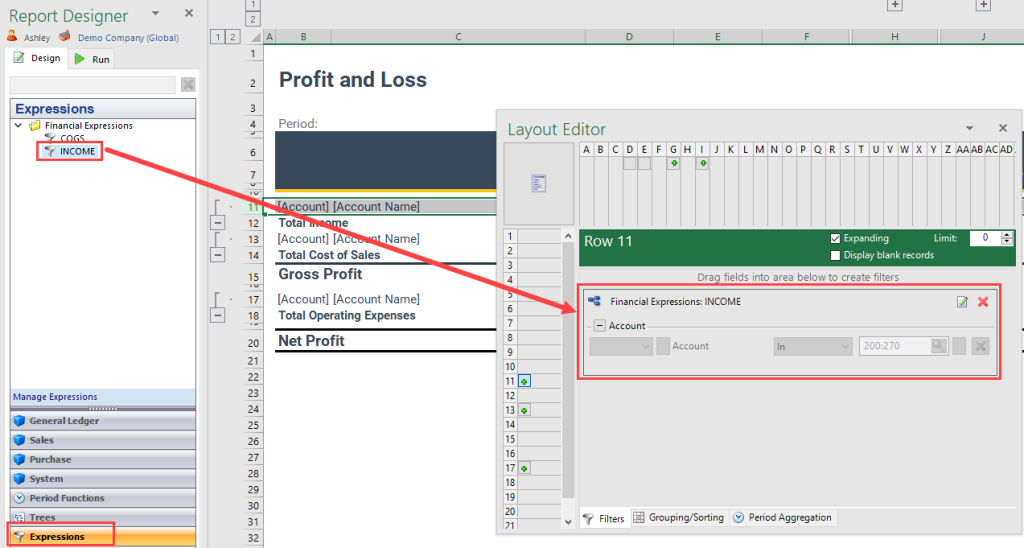
- Open Expressions from the Report Designer menu and drag the relevant expression into the filter area.
Tip
You can edit expressions that are created from the Layout Editor; click the Edit Tree button to go to the Expressions Editor.