












Deviating fiscal year
A client with a deviating fiscal year must create the first financial year under Settings – Create accounting year. Enter the relevant accounting period as shown in the example below:
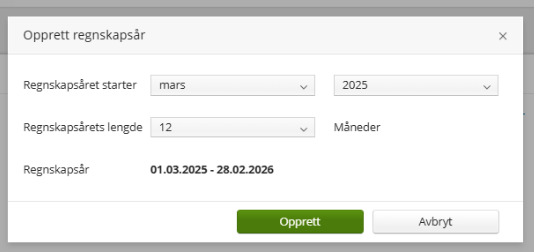
Once the year has been created, go to the Start page and select Start period.
Note
You only need to create the fiscal year under Settings the first time you set up consolidation for a company with a fiscal year. Subsequent financial years can be created directly from the Start page.
The procedure for creating the group structure is the same as described for clients with a standard fiscal year.