













Fix 401 Unauthorized errors despite valid token
Overview
This usually happens when the wrong Tenant Id is used during App Store setup. When connecting applications using an invitation code, make sure to select the Company Tenant ID as the organization, not the Customer Tenant ID. Both will let you authenticate through Visma Connect, but using the customer tenantId will return a 401 Unauthorized when sending requests to the Visma Net APIs.
This is easy to mix up when the Customer and Company share the same name.
To find the correct tenantId, go to → Visma Admin (opens in a new tab) → Company → Select the company → Edit → Configuration → Tenant id.
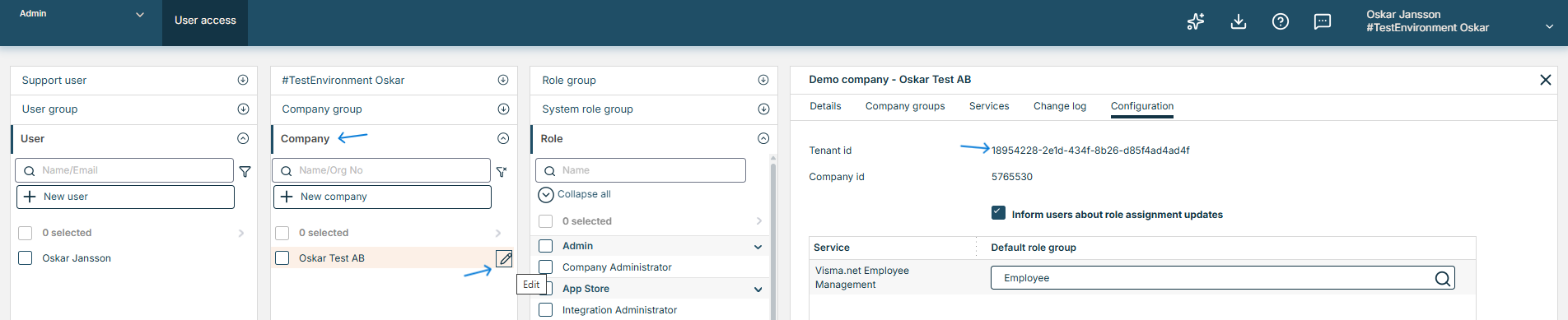
Make sure this Tenant ID from Visma Admin matches the one in the App Store before using the invitation code.
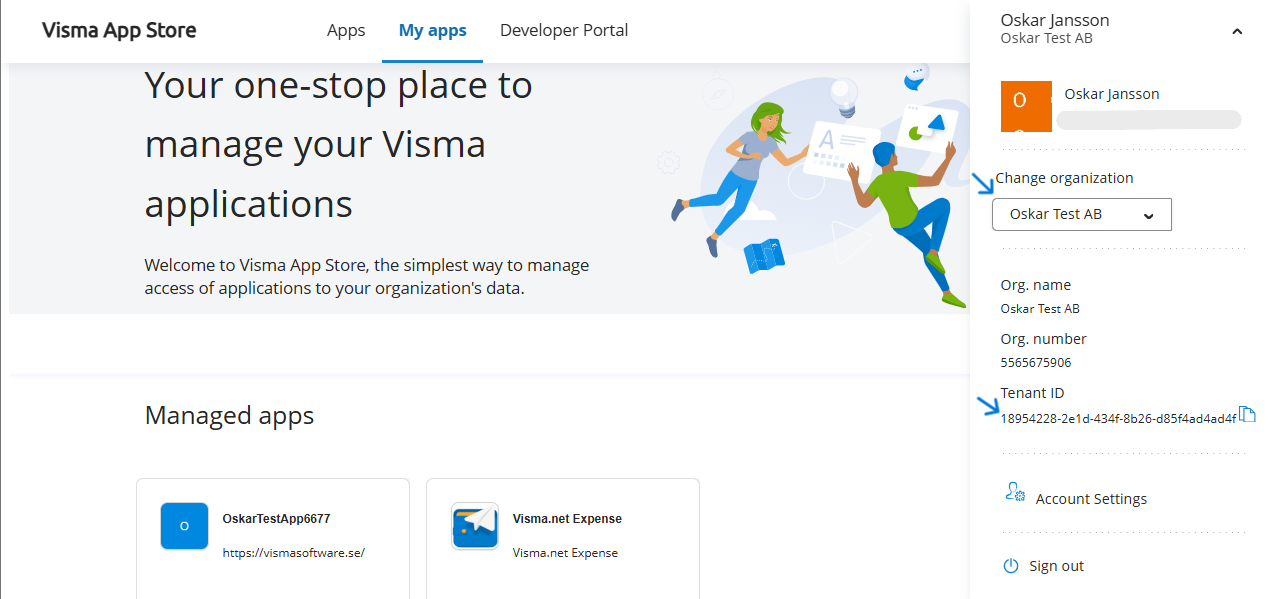
If it does not match, use the “Change organization” dropdown menu to select the organization whose Tenant ID matches.