Fix 401 Unauthorized errors despite valid token
/vismanetapi/how-tos/fix401error
section
Are you getting a 401 Unauthorized error despite having a valid Access Token? Read more about how to solve this frequently asked question.
2026-05-18T09:29:51+02:00
# Fix 401 Unauthorized errors despite valid token
Are you getting a 401 Unauthorized error despite having a valid Access Token? Read more about how to solve this frequently asked question.
## Overview
This usually happens when the wrong Tenant Id is used during App Store setup. When connecting applications using an invitation code, make sure to select the **Company Tenant ID** as the organization, not the **Customer Tenant ID**. Both will let you authenticate through Visma Connect, but using the customer tenantId will return a 401 Unauthorized when sending requests to the Visma Net APIs.
This is easy to mix up when the **Customer** and **Company** share the same name.
To find the correct tenantId, go to → [Visma Admin](https://admin-user-access.visma.net/) → Company → Select the company → Edit → Configuration → Tenant id.
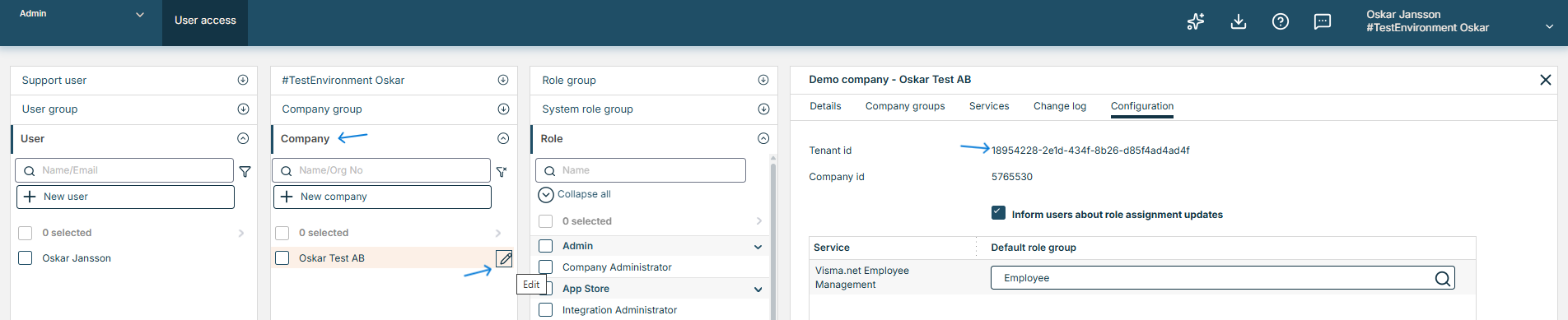
Make sure this Tenant ID from Visma Admin matches the one in the App Store before using the invitation code.
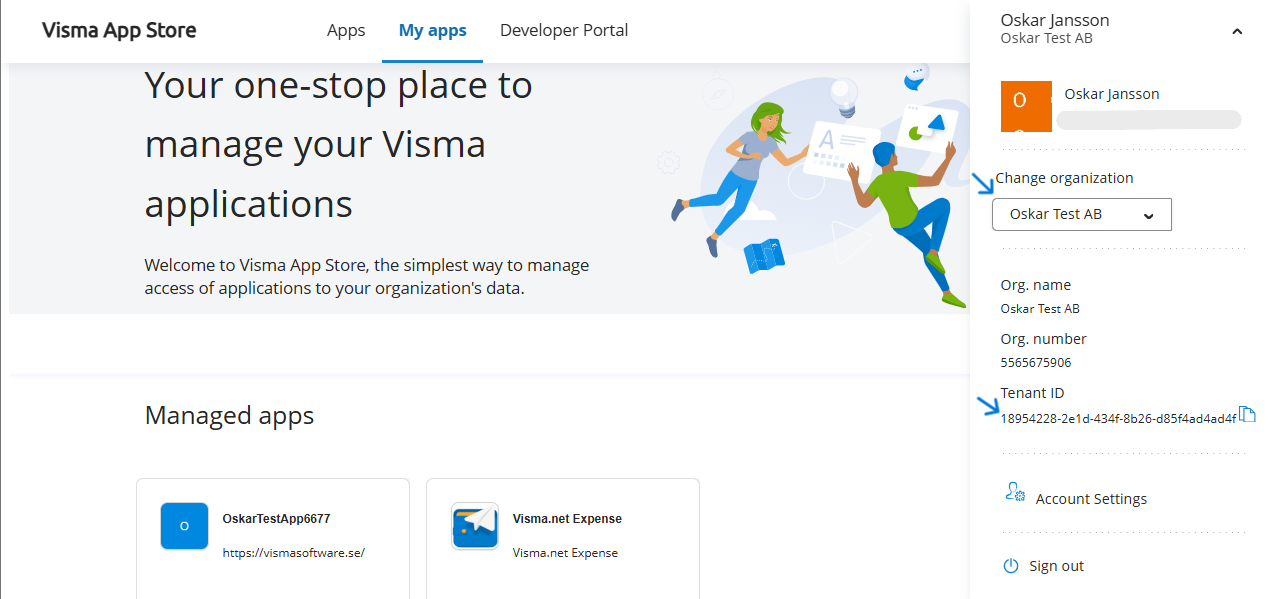
If it does not match, use the **"Change organization"** dropdown menu to select the organization whose Tenant ID matches.