













SalesOrders API V3
1 Combine your updates in the same PATCH request
Recommendation: Use a single PATCH operation to update everything you need at once. This reduces the number of API calls required. Make sure your request is correct, as any invalid data will cause the entire request to be rejected.
2 Optimize data retrieval with GET Expands
Recommendation: Request only the data you need by using specific expand options instead of “expand all”. This improves response times and reduces server load.
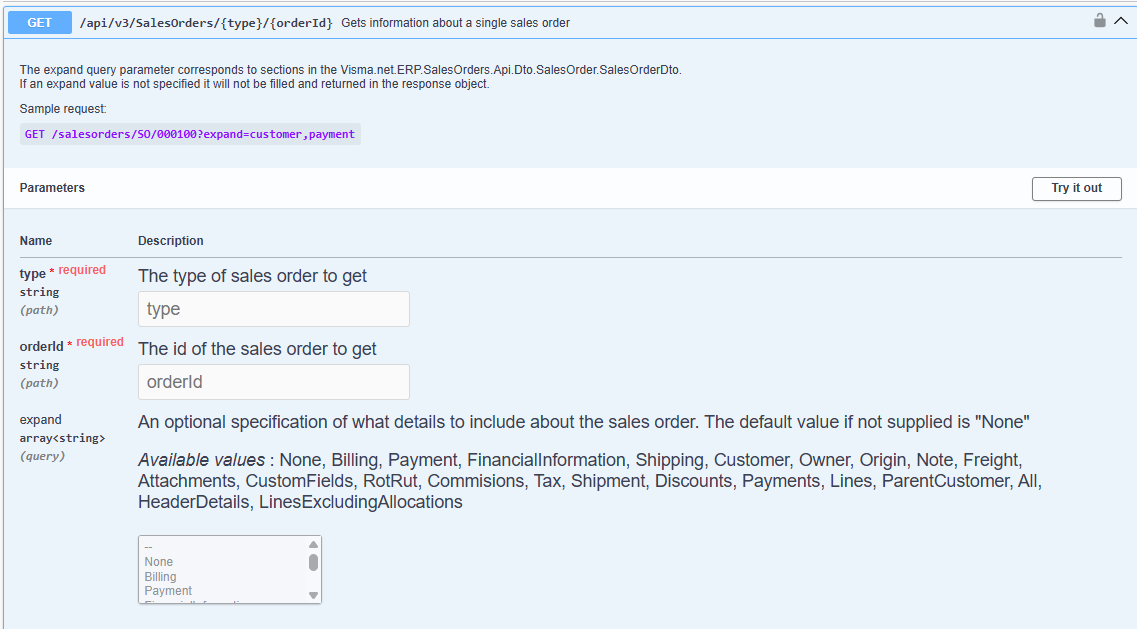
Expand was updated in Release 10.92 (2026-04-21) Now when any expand values is specified in the endpoint GET /api/v3/SalesOrders, the effective maximum pageSize is 100. This was done to improve performance.
3 Use pagination
Recommendation: Use pagination for orders with many lines. Adjust the page size to get faster responses, especially with large data sets. This is managed using the parameters pageSize and pageIndex. Note that pageIndex is called pageNumber in the Visma Net monolith API.
Read more: Pagination
4 Use filtering
Recommendation: Always filter your searches to retrieve only the necessary data. This significantly improves speed. You can use parameters such as modifiedSince, customerId, and filter.
5 Webhooks
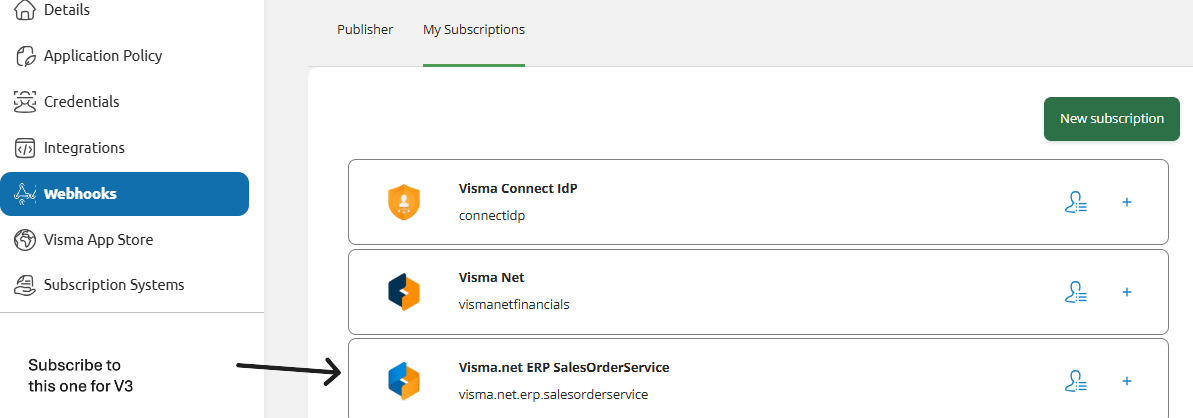
Recommendation: When using V3 endpoints, it is important to use the visma.net.erp.salesorderservice-publisher. Do not use the vismanetfinancials-publisher that is was used for salesOrderV1/V2, to ensure you get the expected results.
6 Use ETag for data consistency
Recommendation: When updating resources, it is mandatory to include the If-Match header with the ETag value received from a prior GET, POST or PATCH request. This ensures you are updating the most current version and prevents conflicts. If the ETag does not match, the server responds with 412 Precondition Failed.
Read more: ETag and the If-Match
Example
If you have 100 orders and each order contains hundreds of lines, reading the entire list at once will be slow and return a massive amount of data (roughly 6.5 GB), potentially taking over 2 minutes.
If you handle large amounts of data, you should paginate and use a smaller page size. The default page size is 100, but if you have many lines, we recommend using a smaller size (like 10 or 15) to keep response times under a minute and reduce the data load.