Customer
/vismanetapi/setting-up-your-integration/how-tos/customerledgerendpoint/customer
section
Common usage example for Customer(ScreenId=AR303000)
2025-11-28T09:30:17+01:00
# Customer
Common usage example for Customer(ScreenId=AR303000)
URL: `https://api.finance.visma.net/v1/customer`
For information about the ERP logic behind Customers, please refer to the [ERP Manual Help: Customers](https://help.content.visma.net/Sweden/SE_EN/online-help/o2c/ar303000-ref.html)
## Methods
---
### GET All Customers
URL: `https://api.finance.visma.net/v1/customer`
#### Query Parameters
- `lastModifiedDateTime=YYYY-MM-DD`
As of today Filtering Parameters does not accept certain characters such as W-Z
These are the formats for Filtering
- `2001-01-01`
- `2001-01-01 13:13:13`
- `2001-01-01 13:13:13.133`
#### Compare Operators for lastModifiedDateTimeCondition
- `>` - Greater than
- `<` - Less than
- `<=` - Less than or equal to
- `>=` - Greater than or equal to
#### Usage Example
This query will return customers updated on 2025-01-14 or later:
**GET** `https://api.finance.visma.net/v1/customer?lastModifiedDateTime=2025-01-14&lastModifiedDateTimeCondition=>=`
---
### POST Customer
URL: `https://api.finance.visma.net/v1/customer`
This example shows the minimum fields you should send to be able to post a new Customer, if you are using automatic numbering you can omit the “number” field.
#### JSON Request body
```json
{
"number": {
"value": "10000"
},
"name": {
"value": "NewCustomer"
},
"overrideWithClassValues": true,
"customerClassId": {
"value": "1"
},
"mainAddress": {
"value": {
"addressLine1": {
"value": "TestRoad 13"
},
"postalCode": {
"value": "0101"
},
"countryId": {
"value": "NO"
}
}
}
}
```
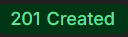
If sent successfully, the API will return:
---
### POST action/createDunningLetter
URL: `https://api.finance.visma.net/v1/customer/{customerNumber}/action/createDunningLetter`
#### JSON Request body
```json
{
"dunningLetterDate": "2025-01-21T09:39:48.538Z",
"levelFrom": 1,
"levelTo": 2
}
```
If successful the API will return a message as below:

Response body:
```json
{
"actionId": "2ddece9b-a89b-4f5a-a251-2cf14837bb2d",
"actionResult": "Done"
}
```
---
### PUT Customer
URL:
PUT `https://api.finance.visma.net/v1/customer/{customerNumber}`
When using PUT, you only send the fields you want to update. In the below example, we update the mainAddress of the customer:
URL: `https://api.finance.visma.net/v1/customer/{customerNumber}`
#### JSON Request body
```json
{
"mainAddress": {
"value": {
"addressLine1": {
"value": "TestRoad 50"
},
"postalCode": {
"value": "0101"
},
"countryId": {
"value": "NO"
}
}
}
}
```
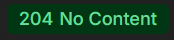
If successful the API will return a message as below:
---